
ZEROO C User Manual

ZEROO C1
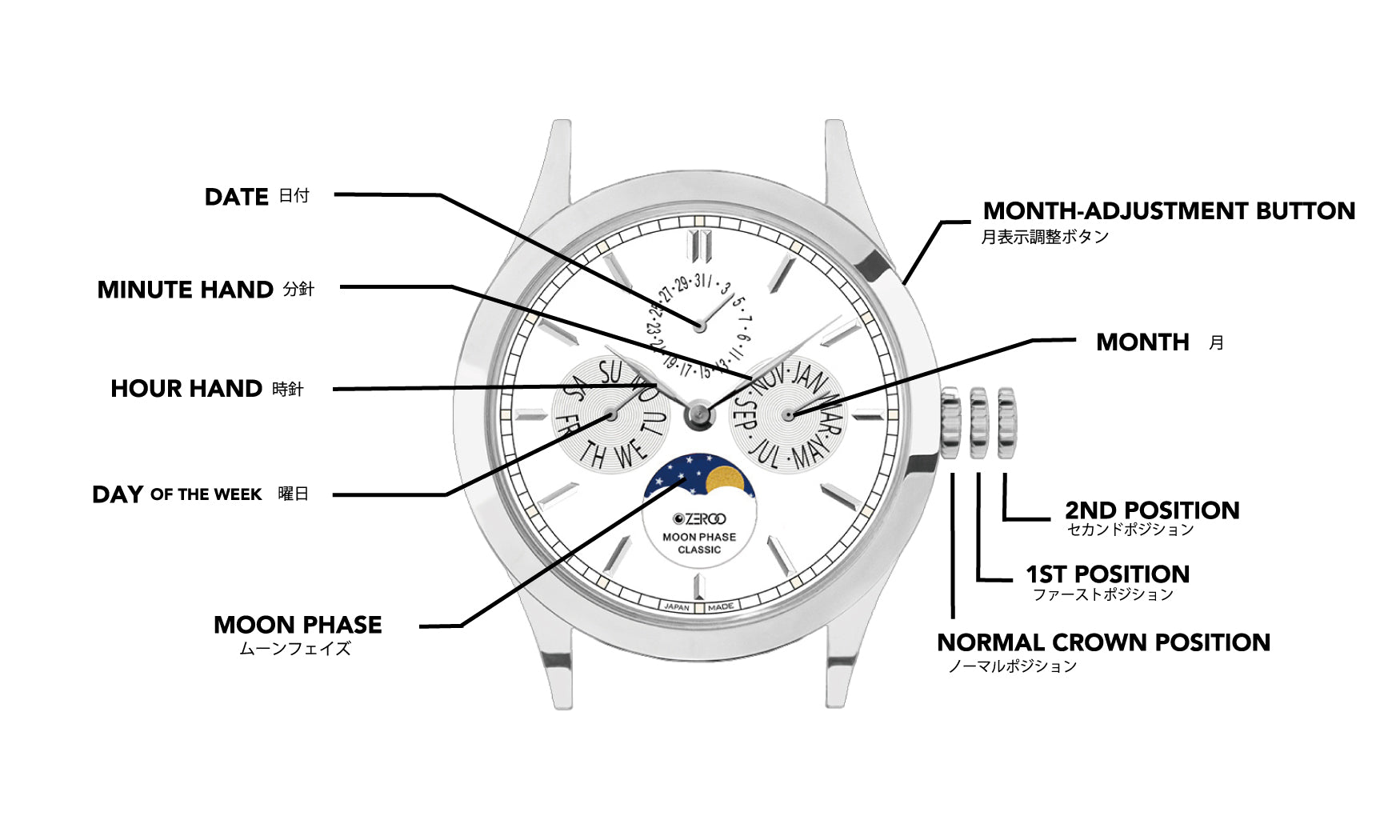
【Crow Operation】
First setting: Date (rotate counter-clockwise), Moon phase (rotate clockwise) Second setting: Time/Date adjustment (rotate clockwise)
[Date and Time Settings]
Pull the crown out to the second position and rotate the hour and minute hands clockwise to set the day of the week. To set the day of the week, the hour hand must rotate 24 hours per day. After setting the day of the week, rotate the hour and minute hands again to set the time.
[Month Setting]
Each time you press the month adjustment button, the month pointer will advance by one month. When changing the month, be sure to press the button firmly.
Warranty Period
2 years
For more warranty information, please click here.
To view frequently asked questions about our product, please click here.
ZEROO C2
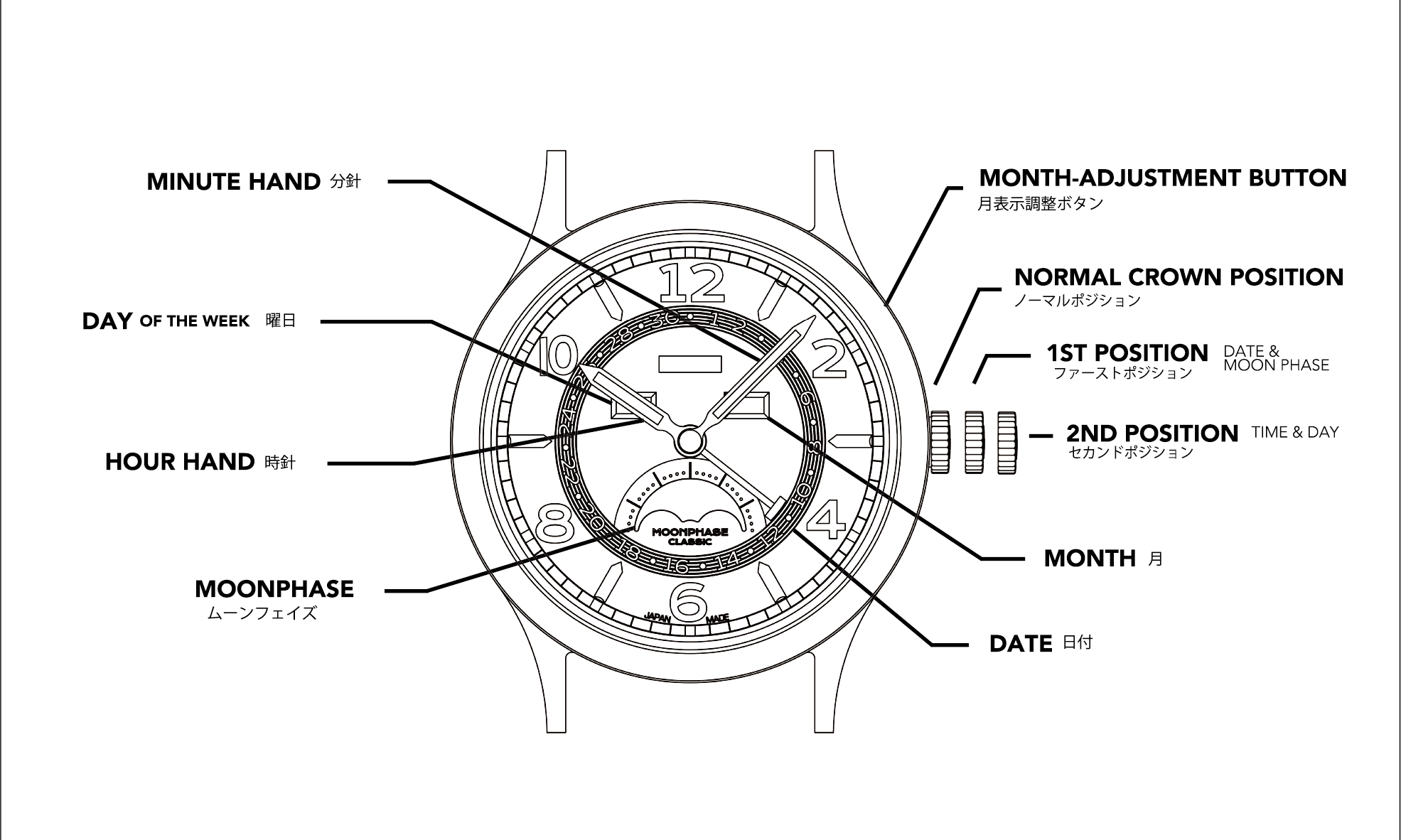
【Crow Operation】
First setting: Date (rotate counter-clockwise), Moon phase (rotate clockwise) Second setting: Time/Date adjustment (rotate clockwise)
[Date and Time Settings]
Pull the crown out to the second position and rotate the hour and minute hands clockwise to set the day of the week. To set the day of the week, the hour hand must rotate 24 hours per day. After setting the day of the week, rotate the hour and minute hands again to set the time.
[Month Setting]
Each time you press the month adjustment button, the month pointer will advance by one month. When changing the month, be sure to press the button firmly.
Warranty Period
2 years
For more warranty information, please click here.
To view frequently asked questions about our product, please click here.
ZEROO C3
[Set Time]
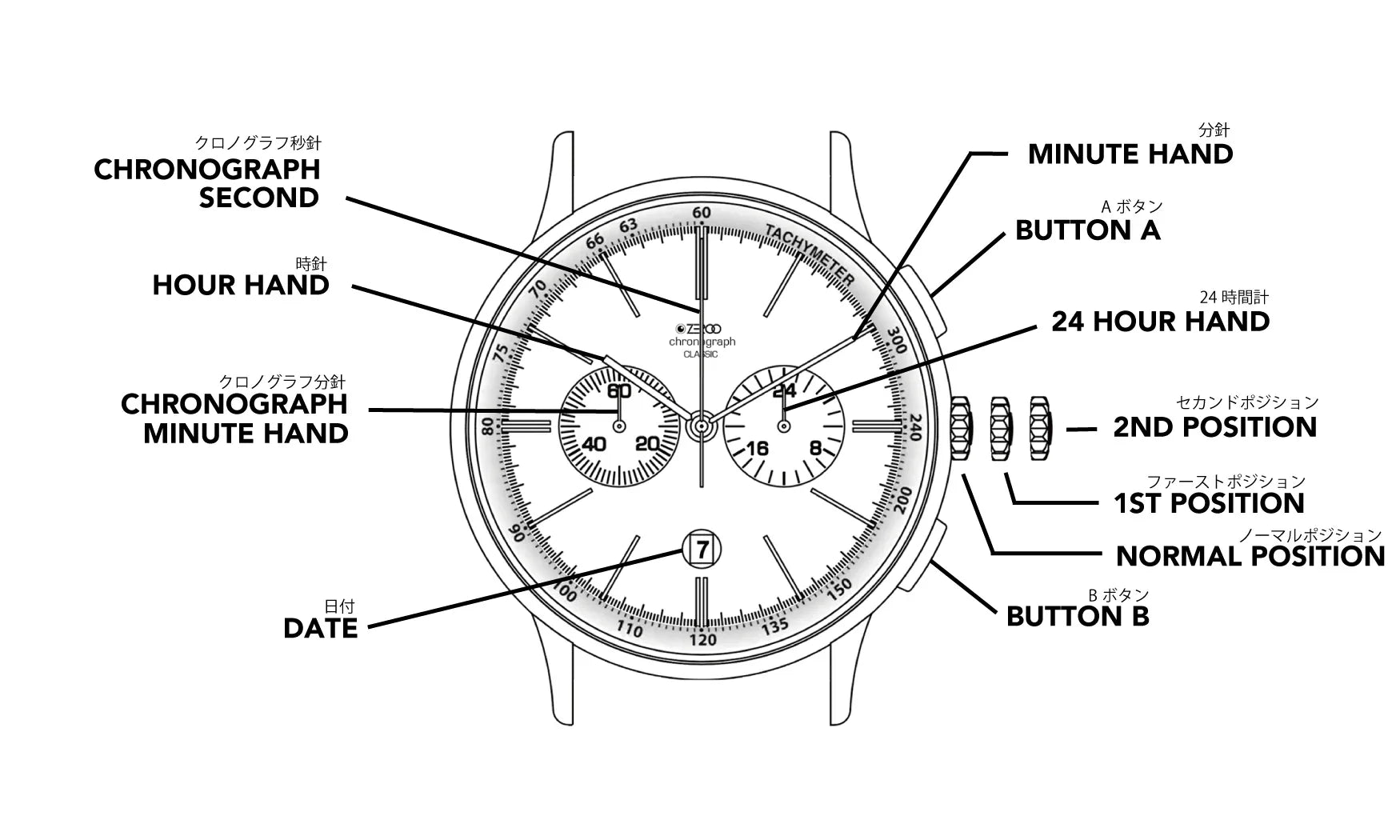
1. Pull the crown out to the second position.
2. Rotate the crown to set the time.
[Set Date]
1. Pull the crown out to the first position.
2. Rotate the crown counterclockwise to set the date.
3. Pull the crown back into place.
Regarding the timing function
1. Press button A to start and stop the timer function.
2. Press button B to reset the timer and return the timer pointer to zero.
Warranty Period
2 years
For more warranty information, please click here.
To view frequently asked questions about our product, please click here.